The Dawiso 2026.3 Update: One Platform, Three Modules, and a Completely New Interface
Dawiso 2026.3 is one of the largest releases we have shipped so far. Over the summer two things changed at once: what Dawiso looks like, and what Dawiso is. Here is a summary of what is new.
Dawiso is now a platform
Until this summer, Dawiso was one large product. It is now a platform made of separate parts that work together, and the data catalog sits at the center of it. Everything else connects to it.
Agent Studio runs AI agents on top of the catalog. Think AI data stewards, AI classifiers, AI technical writers: agents you configure, point at your metadata, and let work. The first of them pre-fills the Data Product Wizard, so the person documenting a data product reviews a draft instead of starting from an empty form.
Access Gate handles approvals. When someone requests access to a data product in the catalog, Gate runs the process from approval through to provisioning that access in the target platform. Extending the same flow to dashboards and reports is next.
Holding it together is a new identity component: one login across the whole platform, one place to manage users, and switching between modules without signing in again.
Data products, from browsing to access
The data product marketplace has its own redesigned page. You see far more of what is available than before, laid out as cards, and you add the products you want to a basket.
Checking out turns that basket into an access request. Where the request goes is a setting: either to Access Gate, or to the service desk your organization already runs, with Jira Service Management and ServiceNow both supported. Approvals stay where your approvers already work.
The Data Product Wizard gained a Business Context step on the way in, capturing terms, use cases, related products, and labels. Asset types are offered only once you have chosen a technology, so the list stays relevant to what you are actually documenting.
A cleaner, denser interface
The whole application got a visual pass. Navigation and the page header now share one thin top bar, so the dark band that some users told us took up too much space is gone. The background is light grey, tables are more compact, and noticeably more rows fit on a single screen.
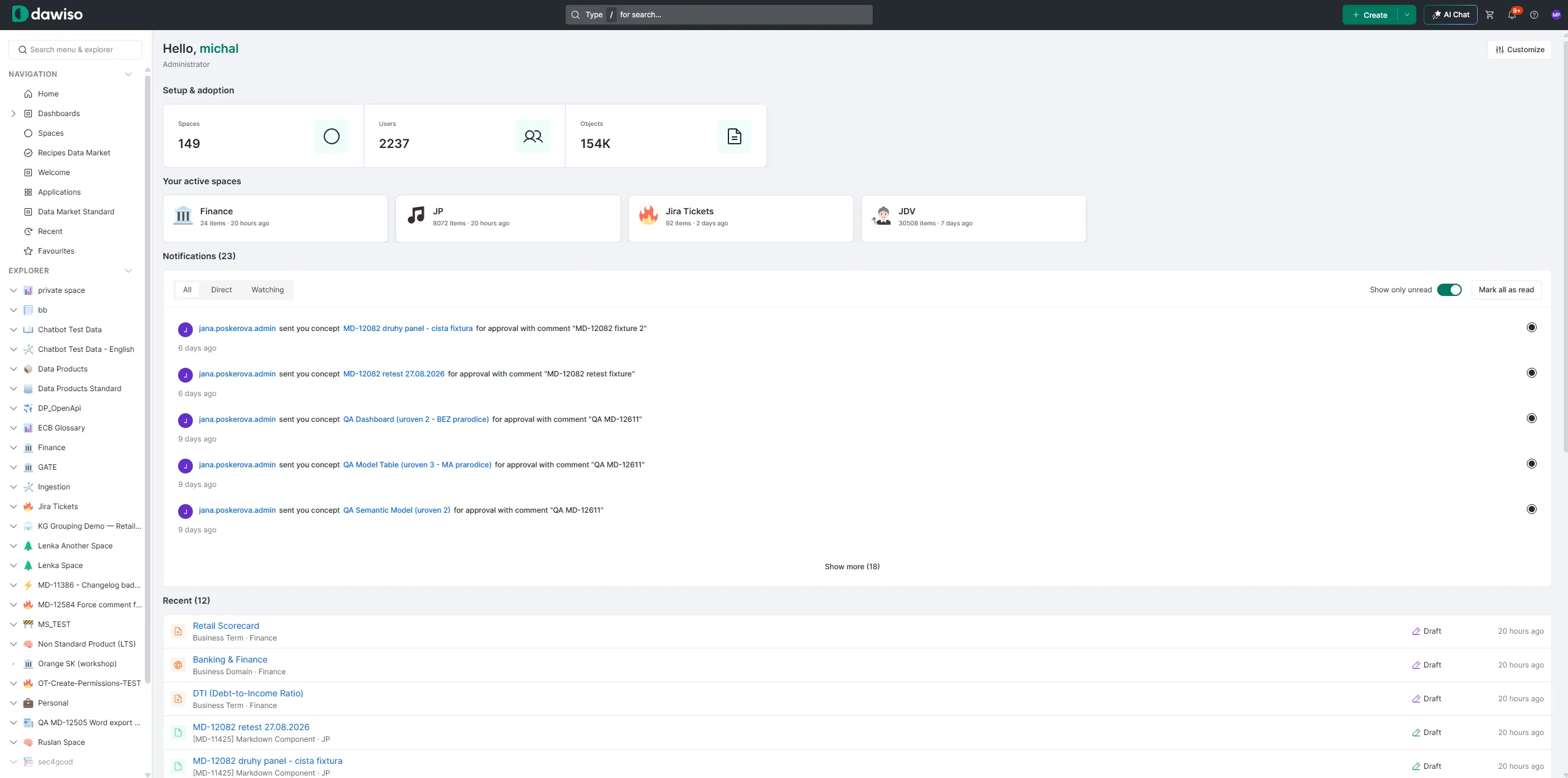
The login page has been rebuilt in the same visual language as the rest of the product.
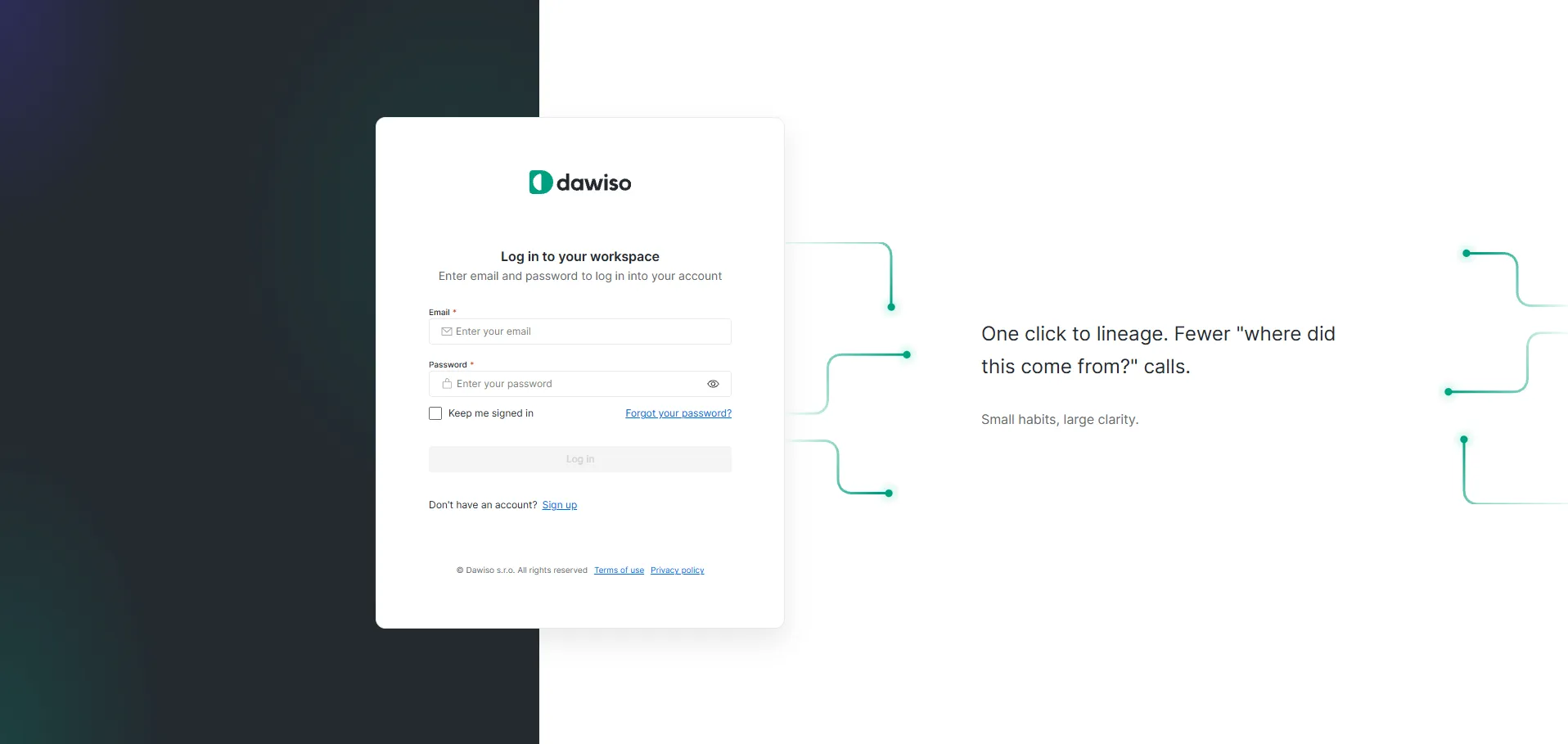
AI Chat (Dawiso chatbot)
A button in the top bar now opens a chat with your own catalog. Answers stream as they are generated, every claim links back to the specific objects it came from, and the conversation survives a page refresh.
Permissions apply the same way they do everywhere else in Dawiso. The assistant only reads the spaces the person asking already has access to, so no answer can expose something the user was not allowed to see in the first place.
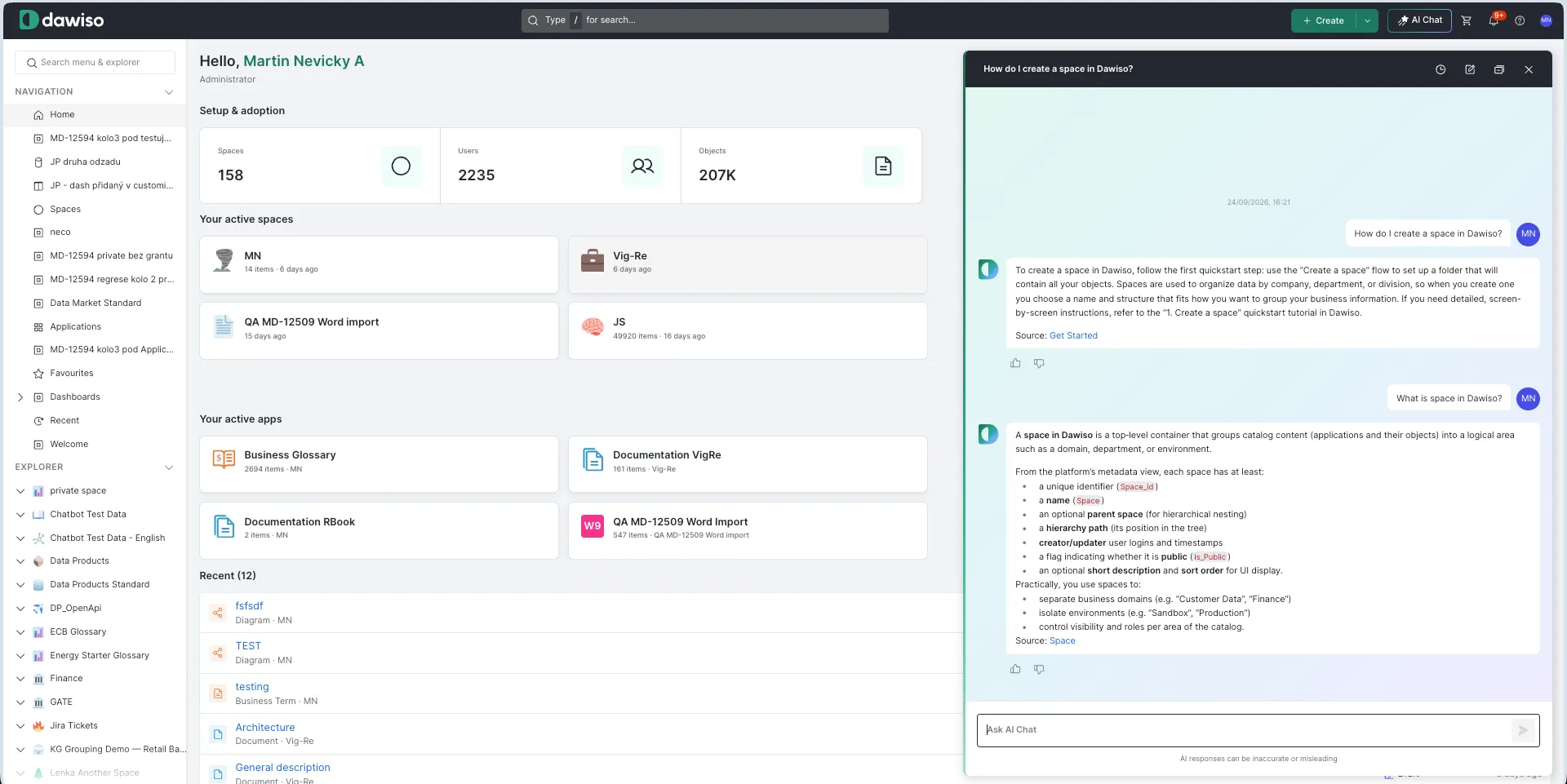
A rebuilt MCP server
Customers took to our MCP server faster than to anything else we have shipped, and they are using it hard enough that its original shape started to show limits. So we rebuilt it.
Instead of ten large routers, it now exposes 29 small, domain-specific tools scoped by role.
The write side has grown as well. Over MCP, an agent can now set attributes in a single call, create objects, and manage users. Full details and the updated tool list are in our documentation.
A homepage and dashboards you build yourself
The new home screen is arranged by dragging. Users move widgets where they want them and reorder the left-hand menu to match how they work. Administrators can take a finished layout and publish it to selected groups, so a team can start from a screen that already makes sense for them.
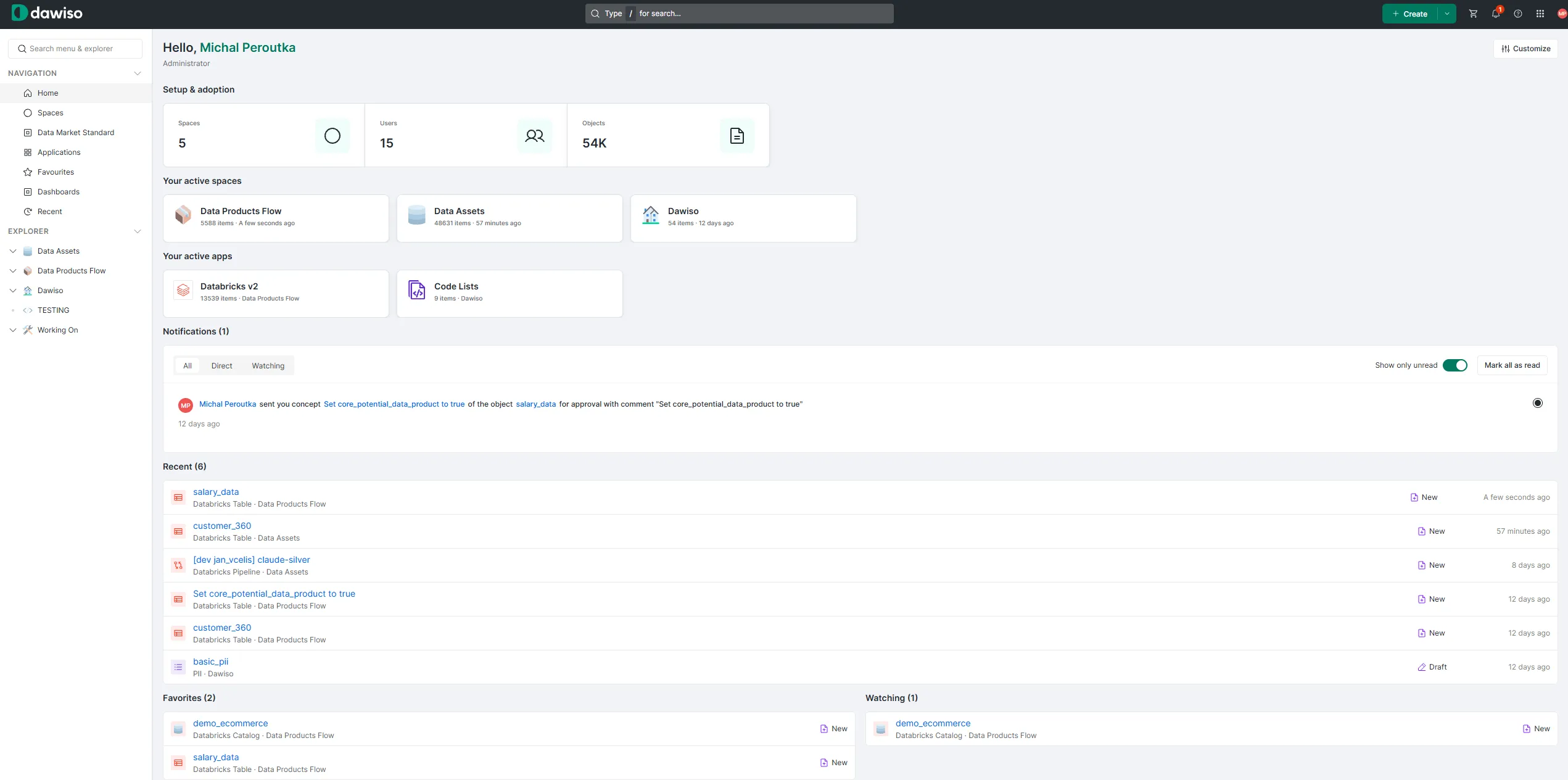
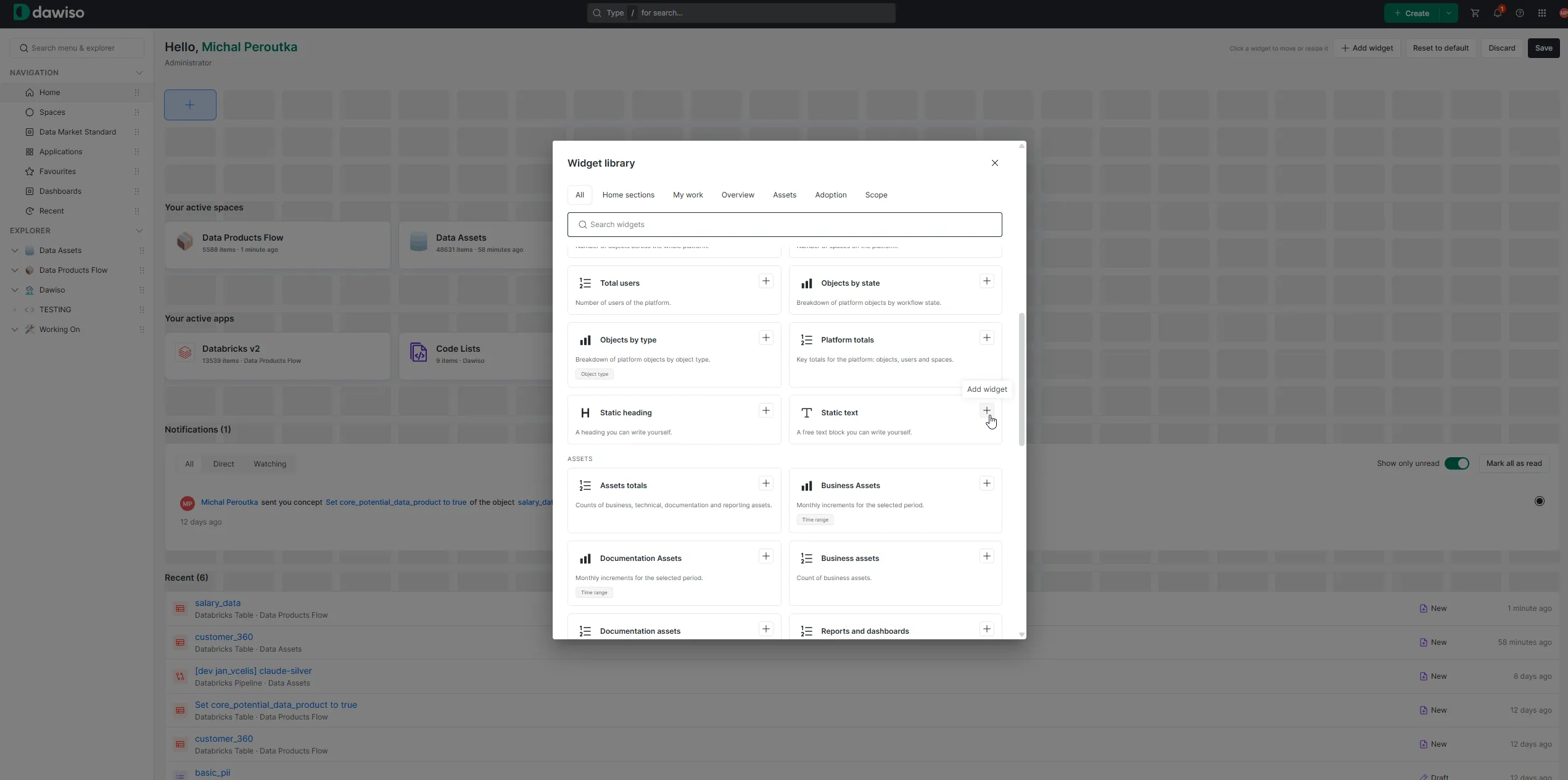
Dashboards can now be built entirely from the interface. The low-code configuration behind them is still there, and it could always be generated rather than written by hand, but enough people asked for something simpler that we built a Customize mode. You assemble the dashboard on the page itself, and the result is saved as a package that moves between environments.
Import from Word, and real data samples on any object
Word import turns a .docx file into a structured object tree. Headings become the hierarchy, the text under each heading lands in a rich-text attribute, and tables, lists, and images survive the trip. Policies, directives, and glossaries that used to mean hours of retyping now arrive in one step.
Sample Data lets you attach a CSV or JSON sample to an object and browse it with filtering and sorting, so the person reading the documentation can see what the data actually looks like. Nothing is pulled automatically: you choose which samples go in, which keeps real customer records out of the catalog by design. Available through the interface, the API, and MCP.
Working with objects and tables
Change object type. A wizard converts an object to a different type, including a new parent and attribute mapping. The ID, URL, history, comments, and relationships all stay intact.
Manage columns. Search, hide, and drag to reorder columns, now including attributes from the metamodel rather than template attributes alone. The arrangement is saved per user.
Saved filters. Name a combination of filters and return to it with one click. The last one you used is applied automatically.
A better look at lineage and diagrams
Lineage runs on a new layout engine. Graphs with thousands of flows stay readable, laid out left to right, with expanded objects in entity-relationship views spacing themselves automatically. Object types can be given their own color. Power BI lineage now goes down to column level, tracing M expressions all the way back to source systems.
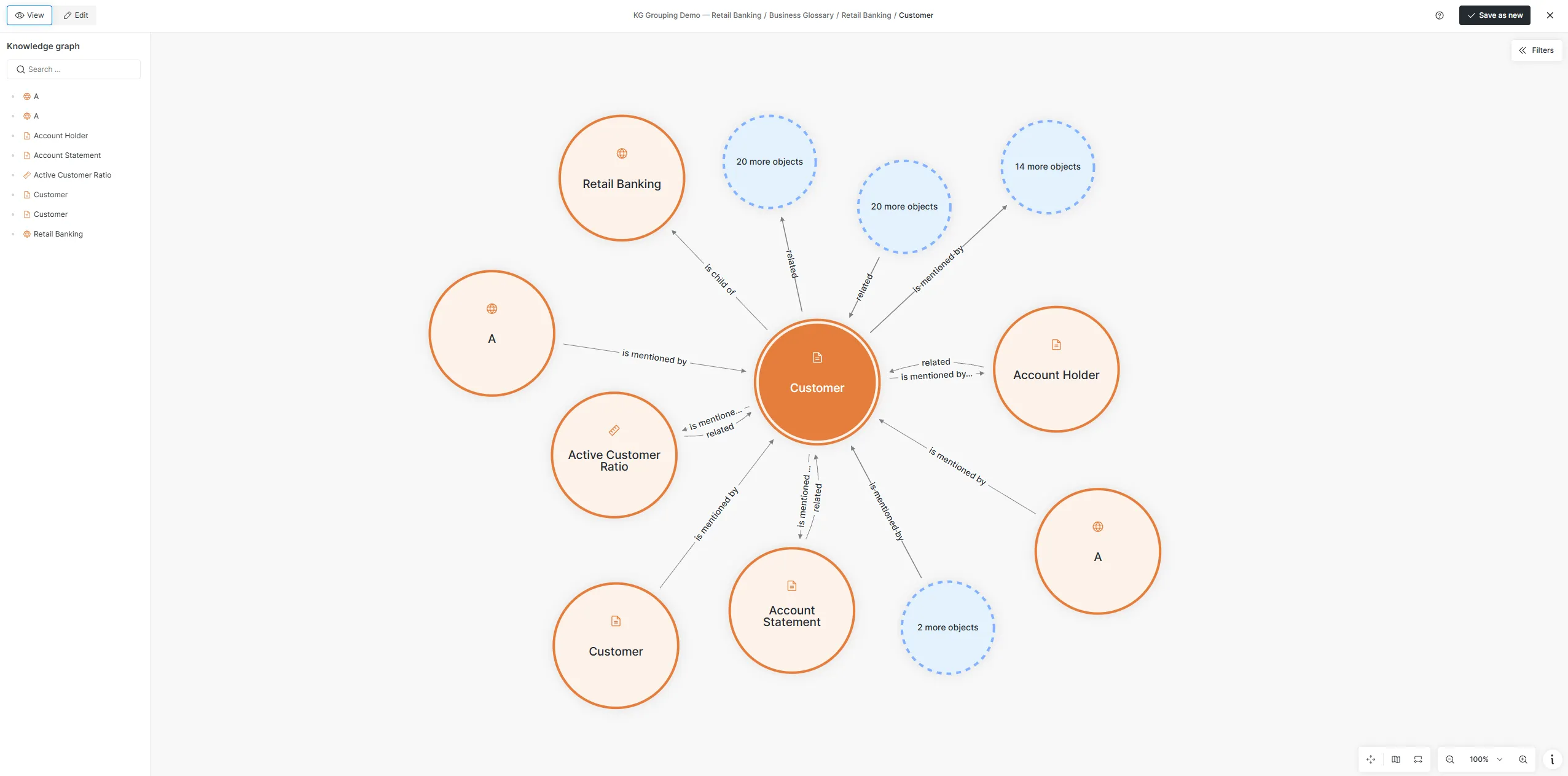
Knowledge graphs stay readable on densely connected nodes by collapsing relationships of the same type into a single "N more objects" bubble.
Conceptual models gained drawing tools, notes, rectangles, circles, lines, and arrows between objects, each with a keyboard shortcut. Images can be pasted or dragged straight in and are stored as diagram attachments. Lucidchart joins draw.io in the "/" menu of the rich-text editor, so a live interactive diagram can sit inside an object description.
Permissions, export control, and security
Dashboard and page permissions. Dashboards and pages can now be set Public or Private, with Read, Read and Write, or Not granted assigned to users, groups, and roles. Packages can ship their own default permission state.
Export Control. Objects carrying an export-control attribute can only be exported by members of a designated exception group, and anyone else sees the reason the export was blocked directly in the dialog. Built for customers working under regimes such as ITAR.
Read acknowledgement. Documents can now require and record confirmation that a user has read them.
Dawiso also completed a security review of the backend in this cycle, and now supports several OIDC providers running at the same time.
Automation and administration
Scheduled document export. All documents can be exported on a cron schedule to disk, Azure Blob Storage, or Amazon S3, as Word or PDF. A consuming system always reads the last complete batch.
Clearer workflow transitions. A locked transition now explains itself, listing the attributes, roles, and relationships that are missing. Leaving a transition with an unsaved attribute offers Save, Discard, or Cancel instead of silently losing the edit.
Metamodel Admin. Twenty-one views across the entire metamodel, covering object types, relationships, hierarchies, workflows, icons, and translations, with filters and detail views. How your model is configured is now something you can check yourself.
External link checking. A service verifies external links in your environment and surfaces broken ones, whether the cause is a 404, an SSL problem, or DNS, in a dashboard widget.
Monitoring. Health endpoints and Prometheus metrics for tasks, ingestion, user sync, and the scheduler, ready for Zabbix and Grafana.
Apache Ossie. Objects can now be exported as Open Semantic Interchange YAML, alongside Excel, Word, and PDF. OSI is the vendor-neutral specification for semantic metadata launched by Snowflake and a coalition of data and AI vendors, and supporting it means definitions maintained in Dawiso can move into other tools without being rewritten.
Coming soon
Work already underway for the next release includes AI-assisted editing of conceptual models through chat, a live template editor that works on the page rather than in JSON, a wizard for creating applications instead of assembling packages by hand, a rebuilt onboarding flow, and further work on ingestion parallelization and connector reliability.
On the platform side, Access Gate will grow beyond data products so the same approval flow covers dashboards and reports, and Agent Studio will take over as the single route for every LLM call made from Dawiso, which puts logging and cost control in one place.
Try the new release and tell us what it changes in your day.